 +91 253 6630710
 781.258.1274
 +44 (0) 7446 87 37 97
Salesforce and Microsoft Azure Integration: Benefits, Architecture, Use Cases & Best Practices


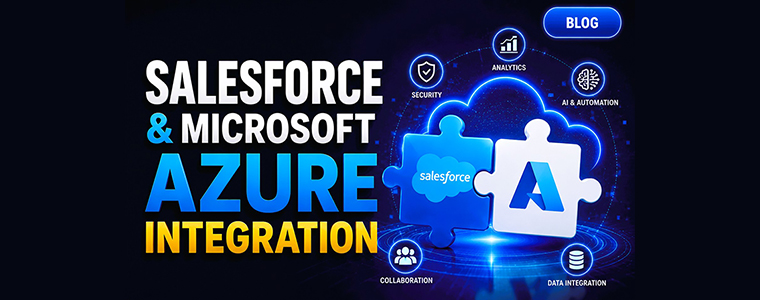
Salesforce and Microsoft Azure Integration: Benefits, Architecture, Use Cases & Best Practices
Modern enterprises rarely operate on a single technology platform.
Sales teams rely on Salesforce to manage customer relationships, pipelines, and service operations. At the same time, IT teams use Microsoft Azure for cloud infrastructure, analytics, AI, application development, and security.
The challenge? These platforms often operate in silos.
Blog Highlights
- Connect Salesforce CRM with Microsoft Azure services for a unified business ecosystem
- Enable real-time data synchronization across applications and departments
- Enhance security with Microsoft Entra ID and Single Sign-On (SSO)
- Unlock AI-powered insights using Azure OpenAI and Azure AI Services
- Improve reporting and analytics through Microsoft Fabric and Power BI
- Build scalable, API-first architectures that support future business growth
Ready to Connect Salesforce and Azure?
Talk to our experts to explore how Salesforce, Microsoft Azure, Azure OpenAI, Microsoft Fabric, and enterprise integration solutions can help accelerate your digital transformation journey.
Customer data resides in Salesforce, business intelligence lives in Microsoft tools, and operational applications run on Azure. Without integration, organizations struggle with fragmented data, manual processes, inconsistent reporting, and limited visibility into customer interactions.
By integrating Salesforce with Microsoft Azure, businesses can create a connected digital ecosystem that improves collaboration, unlocks AI-driven innovation, and delivers a unified customer experience.
At Aress, we help organizations bridge Salesforce and Azure to create scalable, secure, and future-ready solutions that support digital transformation initiatives.
Why Salesforce and Azure Are Better Together
Salesforce is one of the world's most powerful CRM platforms, while Microsoft Azure offers a comprehensive cloud ecosystem that supports everything from infrastructure and analytics to AI and application development.
When integrated effectively, these platforms help organizations:
Improve Customer Visibility
A connected Salesforce-Azure environment provides a complete view of customer interactions, sales activities, support requests, and operational data.
Benefits include:
- Better customer engagement
- More accurate forecasting
- Improved decision-making
- Personalized customer experiences
Increase Operational Efficiency
Integration eliminates manual data entry and duplicate processes.
Organizations can:
- Automate workflows
- Synchronize customer data
- Reduce administrative overhead
- Improve employee productivity
Strengthen Security and Compliance
Many enterprises already use Microsoft Entra ID (formerly Azure Active Directory) as their identity management solution.
Integrating Salesforce with Entra ID enables:
- Single Sign-On (SSO)
- Multi-Factor Authentication (MFA)
- Centralized user management
- Enhanced governance and compliance
Common Business Challenges We Help Solve
Many organizations approach Aress with similar integration challenges.
Data Silos
Customer information is spread across CRM systems, ERP platforms, custom applications, and analytics environments.
Disconnected User Experiences
Employees constantly switch between Salesforce, Microsoft Teams, SharePoint, and other business applications.
Limited Business Intelligence
Leadership teams struggle to gain real-time visibility into customers, sales performance, and operational metrics.
Integration Complexity
Point-to-point integrations become increasingly difficult to maintain as systems grow.
AI Readiness
Organizations want to leverage AI but lack a connected and reliable data foundation.
Key Salesforce and Azure Integration Use Cases
1. Salesforce and Microsoft Teams Integration
Collaboration is critical to delivering exceptional customer experiences.
By integrating Salesforce with Microsoft Teams, organizations can:
- Access Salesforce records directly within Teams
- Receive opportunity and account notifications
- Collaborate on customer issues in real time
- Improve communication across departments
This creates a more connected workplace while reducing context switching between applications.
2. Salesforce and Azure OpenAI Integration
Enterprise AI adoption is accelerating rapidly.
Organizations can combine Salesforce data with Azure OpenAI to:
- Generate sales insights
- Summarize support cases
- Draft customer communications
- Power AI assistants
- Enable intelligent customer service automation
Businesses exploring AI-powered CRM experiences may also benefit from understanding the shift toward API-driven architectures discussed in our blog on Salesforce Headless Architecture.
3. Salesforce and Microsoft Fabric
Organizations need reliable data for reporting and decision-making.
Integrating Salesforce with Microsoft Fabric allows businesses to:
- Consolidate customer data
- Create executive dashboards
- Improve forecasting accuracy
- Enable advanced analytics
This helps organizations move from reactive reporting to proactive decision-making.
4. Salesforce and Azure Data Lake
A centralized data platform helps organizations establish a strong foundation for analytics and AI.
Benefits include:
- Customer 360 initiatives
- Better data governance
- Scalable analytics
- AI and machine learning readiness
5. Salesforce and Microsoft Entra ID
Security remains a top priority for enterprise organizations.
Integrating Salesforce with Entra ID provides:
- Centralized authentication
- Reduced security risks
- Simplified user management
- Improved compliance controls
Understanding Salesforce and Azure Integration Architecture
A successful integration strategy typically consists of multiple layers.
CRM Layer
The customer engagement layer includes:
- Salesforce Sales Cloud
- Salesforce Service Cloud
- Salesforce Marketing Cloud
- Salesforce Data Cloud
Integration Layer
This layer facilitates communication between systems.
Common technologies include:
- Azure API Management
- Azure Logic Apps
- Azure Functions
- MuleSoft
- REST APIs
Data Layer
Data storage and analytics services may include:
- Microsoft Fabric
- Azure Data Lake
- Azure SQL Database
- Azure Synapse Analytics
AI Layer
Organizations can leverage:
- Azure OpenAI
- Azure AI Services
- Azure Machine Learning
Experience Layer
Business users interact through:
- Microsoft Teams
- Customer portals
- Mobile applications
- AI-powered assistants
This architecture provides flexibility while ensuring scalability and long-term maintainability.
Best Practices for Salesforce and Azure Integration
Adopt an API-First Approach
API-first architectures improve scalability, flexibility, and future integration opportunities.
This approach is particularly important as organizations expand into AI-powered and omnichannel experiences.
Focus on Data Quality
Even the best integration architecture cannot compensate for poor data quality.
Organizations should:
- Define data ownership
- Establish governance policies
- Eliminate duplicate records
- Standardize customer data
Design for Real-Time Data Exchange
Modern customers expect immediate responses.
Real-time integration helps ensure:
- Accurate information
- Better customer experiences
- Faster decision-making
Build with AI in Mind
Many organizations are investing in AI initiatives.
Future-proof your architecture by ensuring compatibility with:
- AI agents
- Generative AI
- Predictive analytics
- Intelligent automation
Prioritize Security
Protecting customer and business data should remain a core objective.
Implement:
- Role-based access controls
- MFA
- Encryption
- API security policies
How Aress Helps Organizations Integrate Salesforce and Azure
Successfully integrating Salesforce and Azure requires expertise across CRM, cloud, APIs, security, analytics, and AI.
Aress combines deep capabilities across both ecosystems to help organizations create connected enterprise platforms.
Our expertise includes:
Salesforce Services
- Salesforce Consulting
- Sales Cloud Implementation
- Service Cloud Implementation
- Experience Cloud Development
- Salesforce Data Cloud
- Agentforce Solutions
Microsoft Azure Services
- Azure Cloud Consulting
- Azure Integration Services
- Azure OpenAI Solutions
- Microsoft Fabric Implementation
- Cloud Modernization
Enterprise Integration
- API Strategy
- MuleSoft Integration
- CRM and ERP Integration
- Real-Time Data Synchronization
- Digital Transformation Initiatives
AI and Automation
- AI Assistants
- Intelligent Workflows
- Customer Service Automation
- Enterprise AI Solutions
By combining Salesforce expertise with Microsoft technologies, Aress helps organizations build scalable solutions that support both current business requirements and future innovation.
The Future of Salesforce and Azure Integration
The future of enterprise technology is increasingly connected, intelligent, and AI-driven.
Organizations are moving beyond basic integrations and embracing:
- AI-powered customer experiences
- Autonomous business processes
- Real-time analytics
- Intelligent decision-making
- Unified enterprise platforms
Salesforce and Microsoft Azure are at the center of this transformation.
Businesses that invest in a modern integration strategy today will be better positioned to leverage emerging technologies and stay competitive in a rapidly evolving digital landscape.
Final Thoughts
Salesforce and Microsoft Azure integration is more than a technical project—it is a strategic initiative that enables organizations to connect data, improve collaboration, strengthen security, and unlock AI-driven innovation.
Whether your goal is improving customer experiences, modernizing business processes, implementing AI solutions, or creating a unified data ecosystem, integrating Salesforce and Azure can deliver significant business value.
At Aress, we help organizations design, implement, and optimize Salesforce and Azure integrations that drive measurable business outcomes.
Frequently Asked Questions
1. What is Salesforce and Microsoft Azure integration?
Salesforce and Microsoft Azure integration connects CRM data, applications, analytics, AI services, and business workflows across both platforms to create a unified enterprise ecosystem.
2. Why should businesses integrate Salesforce with Azure?
Organizations integrate Salesforce with Azure to improve data visibility, automate workflows, strengthen security, enable AI initiatives, and create a connected customer experience across departments and systems.
3. Can Salesforce integrate with Microsoft Entra ID?
Yes. Salesforce can integrate with Microsoft Entra ID (formerly Azure Active Directory) to provide Single Sign-On (SSO), Multi-Factor Authentication (MFA), centralized identity management, and enhanced security.
4. What are the benefits of Salesforce and Azure integration?
Key benefits include:
- Real-time data synchronization
- Improved customer visibility
- Advanced analytics and reporting
- AI-powered automation
- Enhanced security
- Better collaboration across teams
- Support for digital transformation initiatives
5. How can Azure OpenAI enhance Salesforce?
Azure OpenAI can enhance Salesforce by:
- Generating sales insights
- Summarizing support cases
- Drafting customer communications
- Automating workflows
- Powering AI assistants
- Improving customer service experiences
6. What Microsoft Azure services are commonly integrated with Salesforce?
Common Azure services integrated with Salesforce include:
- Azure OpenAI
- Azure Functions
- Azure Logic Apps
- Azure API Management
- Microsoft Fabric
- Azure Data Lake
- Azure SQL Database
- Power BI
- Microsoft Teams
- Microsoft Entra ID
7. What is the best architecture for Salesforce and Azure integration?
An API-first architecture using Azure Integration Services, MuleSoft, Azure Functions, Logic Apps, and secure APIs is generally considered the most scalable and future-ready approach.
8. Can Salesforce and Azure support AI-powered business processes?
Yes. Organizations can combine Salesforce customer data with Azure AI services and Azure OpenAI to enable:
- Predictive analytics
- AI-powered customer support
- Intelligent automation
- Agentic workflows
- Personalized customer experiences
9. How does Salesforce integration with Microsoft Teams improve productivity?
Salesforce and Microsoft Teams integration allows users to:
- Access CRM records directly within Teams
- Receive real-time notifications
- Collaborate on opportunities and accounts
- Streamline customer engagement workflows
- Improve cross-functional communication
10. How can Aress help with Salesforce and Azure integration?
Aress provides:
- Salesforce Consulting and Implementation
- Azure Cloud Services
- Azure OpenAI Solutions
- Microsoft Fabric Implementation
- Enterprise Integration Services
- API Development
- CRM and ERP Integration
- Digital Transformation Consulting
Our team helps organizations build scalable, secure, and AI-ready ecosystems by connecting Salesforce with Microsoft Azure and other enterprise applications.
 Few
More from
Administrator
Few
More from
Administrator
Category: Salesforce
Recent Posts
-
Salesforce
Aress showcases Salesforce delivery strength as Explorer Sponsor at Salesforce World Tour Essentials Sydney
-
Digital
From Vulnerability Management to Threat Detection: Building a Continuous VAPT Program for the Enterprise
-
Digital
AI vs AI: How Enterprises Can Defend Against the New Generation of AI-Powered Cyberattacks
-
Digital
Cybersecurity Awareness Month 2026: How to Benchmark Your Enterprise Security Posture
-
Digital
Cybersecurity Awareness Month 2026: What Should Be on Every Enterprise Security Checklist?